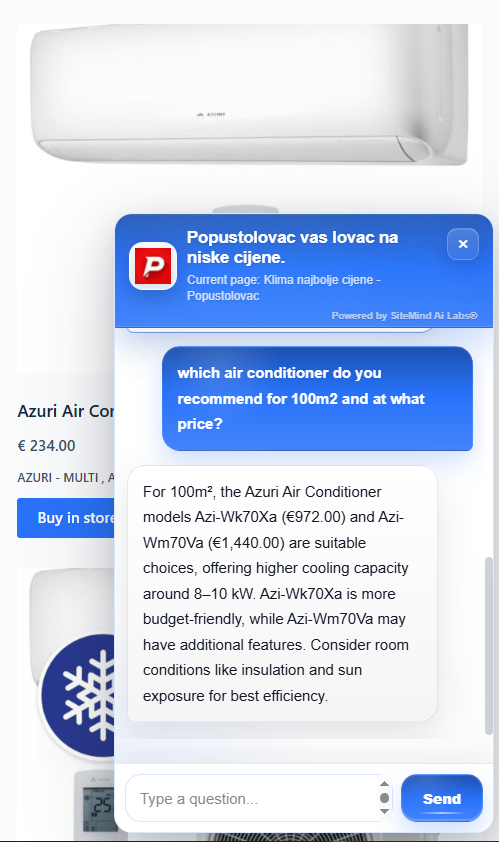
What is an embeddable AI chat widget?
An AI chat widget for websites is a small conversational interface that visitors can open directly on a page. Rather than browsing a long menu or reading every FAQ, visitors can ask a question in everyday language. The assistant can respond using information collected from the website and direct visitors to relevant content.
SiteMind AI Chat Assistant is designed for websites that want a simple way to explain their existing content through an on-page conversation. It works as a floating chat bubble and panel, so there is no need to build a separate chat interface or replace the website.
Why add an AI chatbot to your website?
Visitors often need a specific answer before taking the next step: what a service includes, which page explains a feature, where to find contact details, or how a product compares with another. An AI website assistant makes it easier to ask those questions while browsing.
Potential benefits include more accessible information, faster explanations of common topics and clearer routes to product, service or contact pages. These outcomes depend on the quality of the website content and the visitor's needs; a widget alone does not guarantee higher sales or conversion rates.
How the SiteMind AI Chat Assistant uses website content
After you create an assistant, SiteMind AI can scan public pages of your website, including page titles, headings, text and relevant internal links. The resulting content helps the assistant answer questions that relate to the business or information on those pages. The AI Chat Assistant plan supports scanning up to 400 website pages.
When a visitor asks a question, the assistant can use the available scanned content and the current page context to prepare a relevant response. That helps keep answers tied to the website rather than relying only on generic knowledge. Answers can still be incomplete or incorrect, so important details such as prices, availability and contractual terms should be checked against the original source.
The website scan is intended for public information. It is not a way to access private customer accounts, administrative areas or hidden records. Read more about the platform's approach on the SiteMind AI security page.
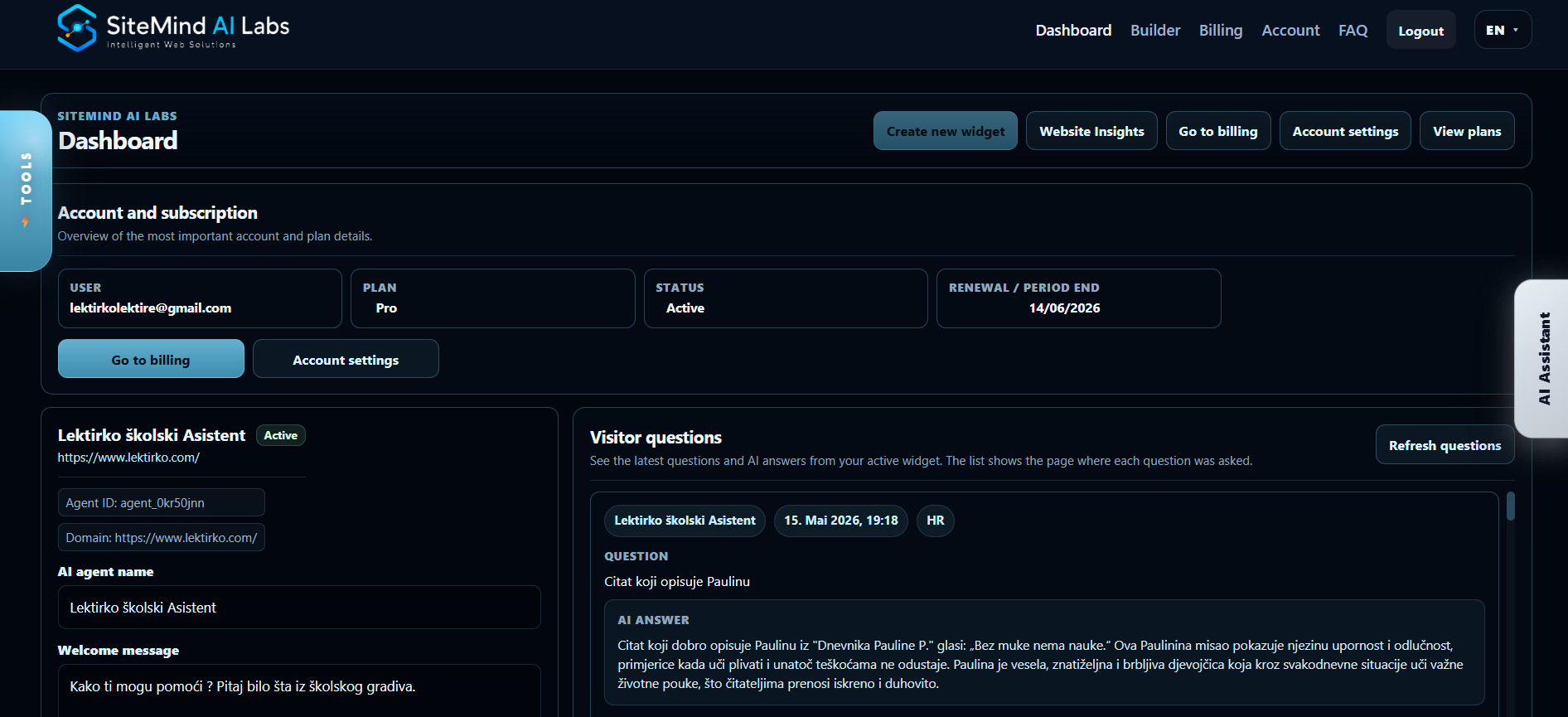
How to embed an AI chat widget on your website
You can add a chatbot to an existing website through a generated script rather than building a custom chat front end. The basic process is straightforward:
- Register for AI Chat Assistant. Choose the website chat product, create your account and confirm your email address.
- Create your assistant. Use the assistant builder to configure your website and widget.
- Scan your website. Run the website scan so the assistant has relevant public content to work from.
- Install your embed code. Add the script produced for your own agent to the pages or common website template where you want the widget to appear.
- Test the widget. Open it on desktop and mobile, ask questions about your content and check the answers before publishing broadly.
Installation instruction: After the website scan is complete, paste the generated embed code into your website’s HTML, just before the closing </body> tag. This will display the AI assistant on every page where the code is installed.
Each account receives its own generated embed snippet with the relevant agent ID. For more implementation details, visit the AI Chat Assistant product and setup page.
Practical use cases for AI website chat
Service businesses and company websites
An on-site assistant can explain published service descriptions, summarize complex information and point visitors to a contact form or relevant page. For example, a visitor might ask which service covers a particular task or where to find opening hours.
Online stores and product discovery
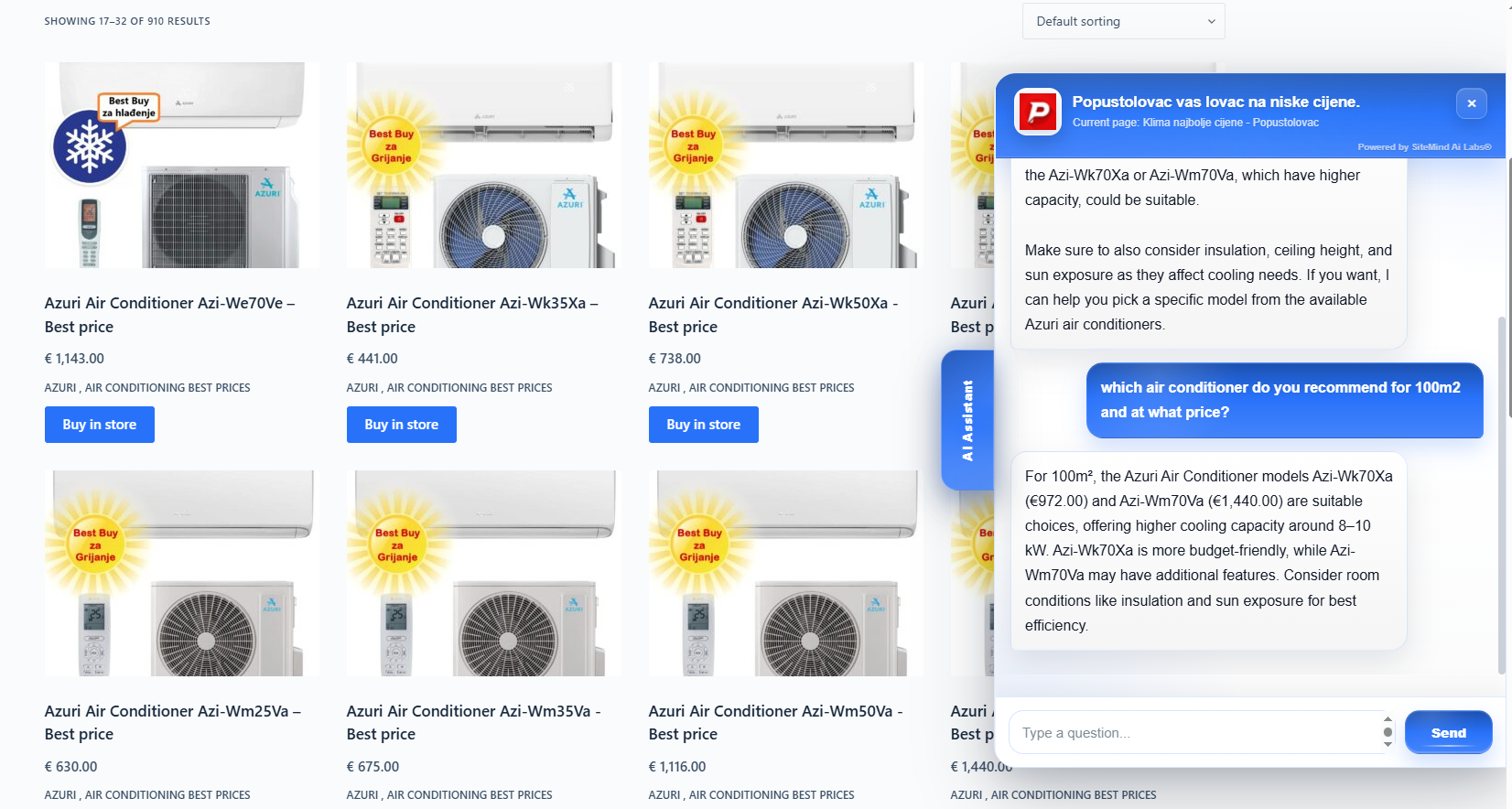
For an ecommerce website, customers might need help understanding technical specifications, locating products or comparing options. If advanced product recommendations and product-level comparisons are the primary goal, the dedicated AI Product Advisor for ecommerce is the more relevant product.
Hotels, apartments and accommodation websites
Accommodation visitors often ask about room descriptions, amenities or how to send a booking inquiry. Websites focused on these workflows can explore the dedicated AI Booking Assistant for hotels and apartments, which is designed for accommodation discovery and booking-related guidance.
Blogs, educational sites and knowledge bases
A content-focused AI chatbot can explain articles, clarify terms and help visitors find related topics in the content already available on the website. This can make long collections of pages easier to navigate.
Visitor questions, chat insights and analytics
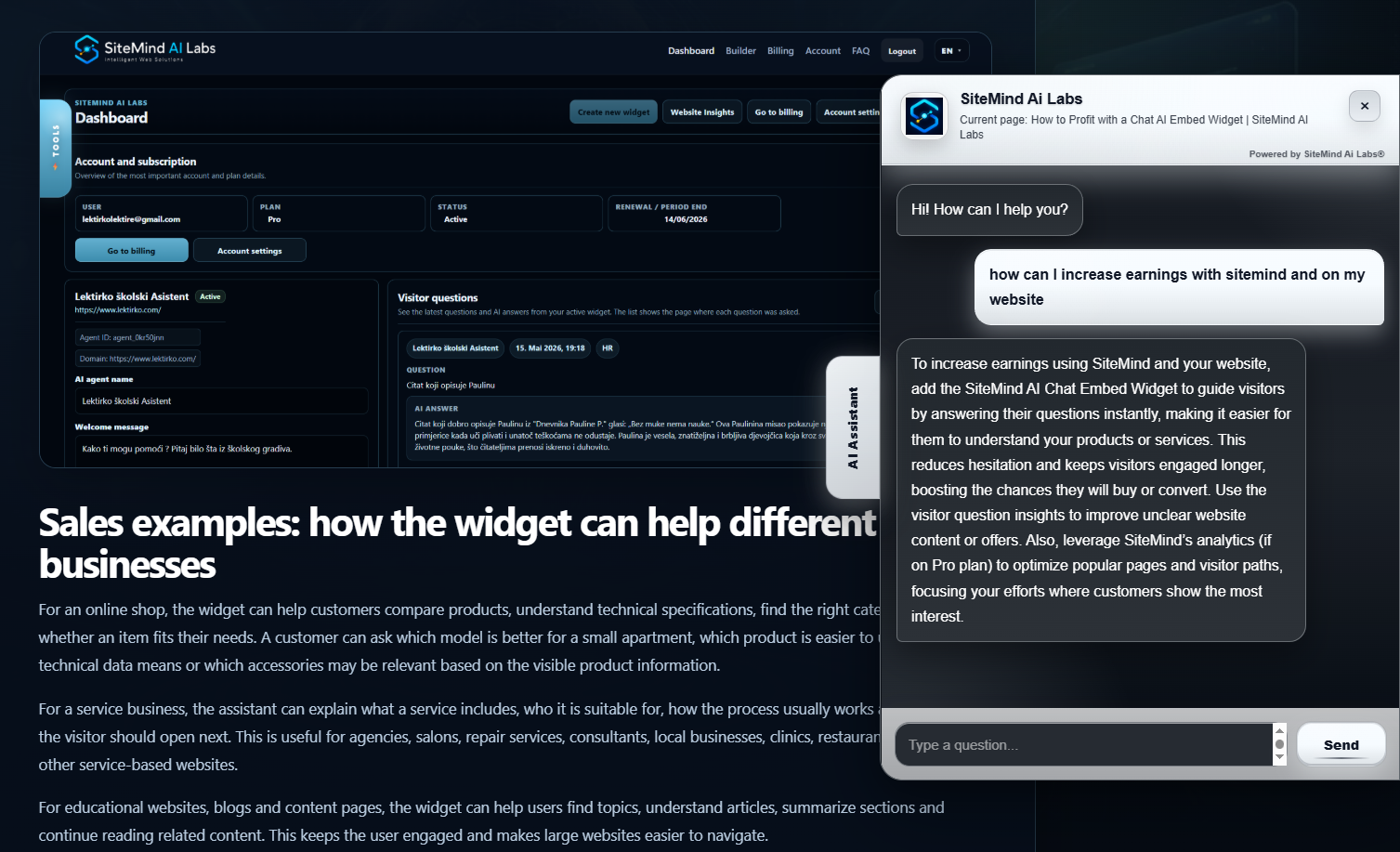
Questions submitted to an AI assistant can reveal where visitors need more information. If people repeatedly ask about the same condition, service or process, the website owner can improve the relevant page or FAQ. Chat messages and AI responses provide feedback about which topics might be unclear.
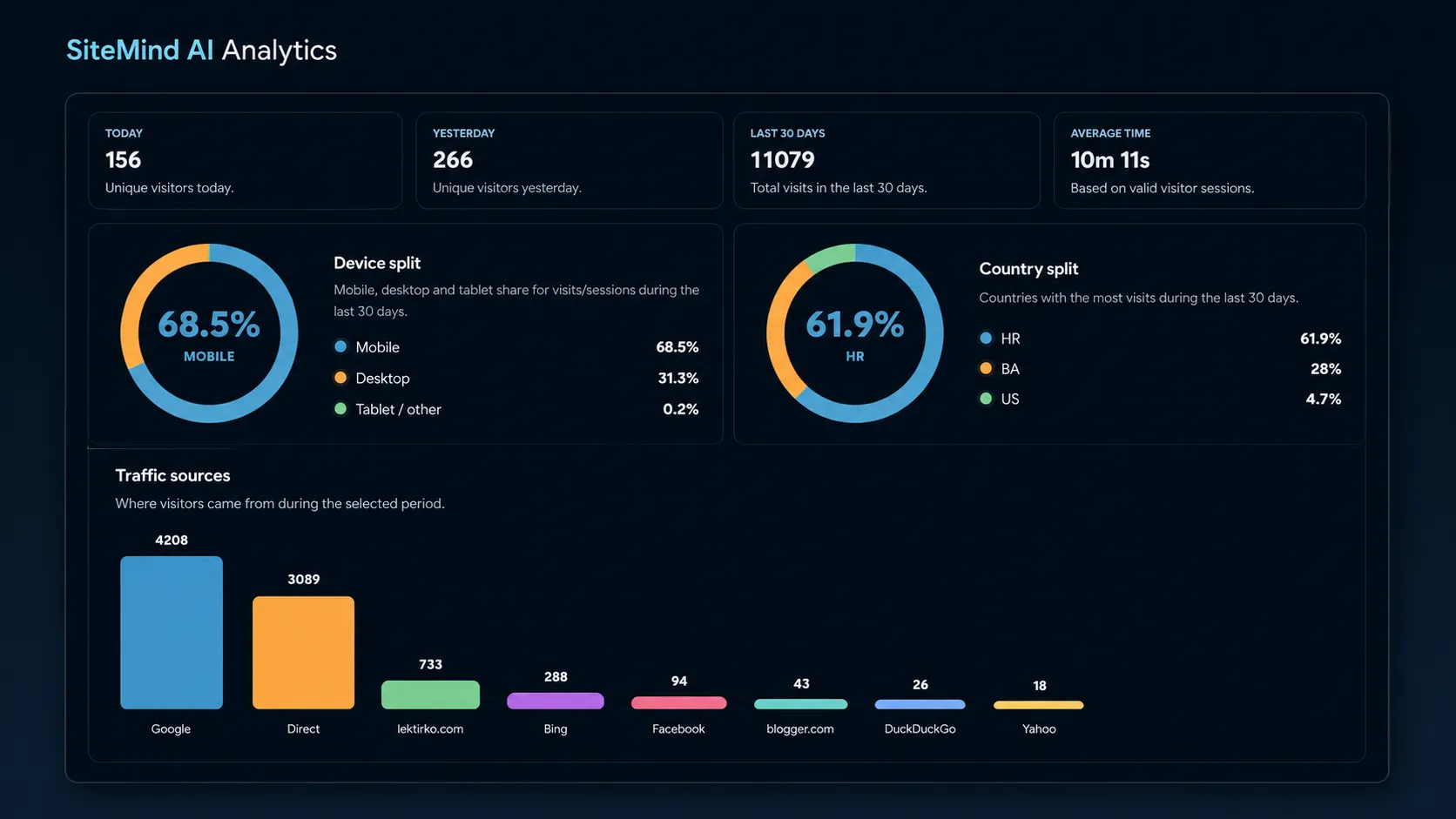
Analytics is included with the AI Chat Assistant plan. Available insights include visitor activity, countries, devices, referrers and popular pages, alongside chat-related insights. This information can help identify pages to improve; it should not be treated as proof that an AI widget directly caused revenue growth.
AI Chat Assistant pricing and trial
SiteMind AI Chat Assistant costs €25/month and includes 1 agent, a scan of up to 400 pages, 500 AI inputs per month and analytics. New users can start a 30-day free trial — no payment required. See the complete SiteMind AI pricing and plan details before selecting a product.
Need specialist workflows? The AI Product Advisor is €49/month for one agent, 400 product pages, unlimited inputs under a fair-use policy and analytics. The AI Booking Assistant is €49/month for one agent, up to 2,000 pages, unlimited inputs under a fair-use policy and analytics.
Security and realistic expectations
When using an AI widget, the priority should be accurate, relevant answers and responsible handling of website information. SiteMind AI uses public website content to provide context and is designed so private service credentials are not placed in the visitor-facing embed snippet. You should still avoid publishing sensitive data in content intended for scanning.
An AI chat assistant complements clear page content; it does not replace accurate product descriptions, privacy notices, support processes or human review. Check answers that depend on current stock, prices, legal terms or personal circumstances. For details about available protections, read the security information.
Frequently asked questions about AI chat widgets
Can I add an AI chatbot without rebuilding my website?
Yes. SiteMind AI provides an embed script that you can place in your existing website HTML or template. The assistant appears on the pages where the script is included.
Does the widget answer questions about my own website?
It uses available public website content from the scan and relevant page context to help answer visitor questions. Review important answers for accuracy.
Do I need to enter payment details for the free trial?
No. SiteMind AI offers a 30-day free trial with no payment details required to start.
What does the AI Chat Assistant plan include?
The €25/month plan includes one agent, up to 400 scanned pages, 500 AI inputs each month and website analytics.
Which AI assistant should an ecommerce or hotel website choose?
Choose the AI Product Advisor for product-oriented shopping guidance or the AI Booking Assistant for accommodation and booking-related workflows. The AI Chat Assistant is intended for general website questions.
Start with a website assistant that answers real questions
An AI chat widget is most useful when it helps visitors understand information already published on your site. Begin with clear website content, connect an assistant and test common questions. You can start with the SiteMind AI Chat Assistant and review all available plans as your needs change.