AI Chat Widget for Websites: A Complete Guide
Many websites already have good content, good offers and good products, but visitors still leave because they do not find the right information fast enough. A visitor may be interested, but still unsure: Which product fits? What does this service include? Where is the price? Is this suitable for my situation? What should I click next?
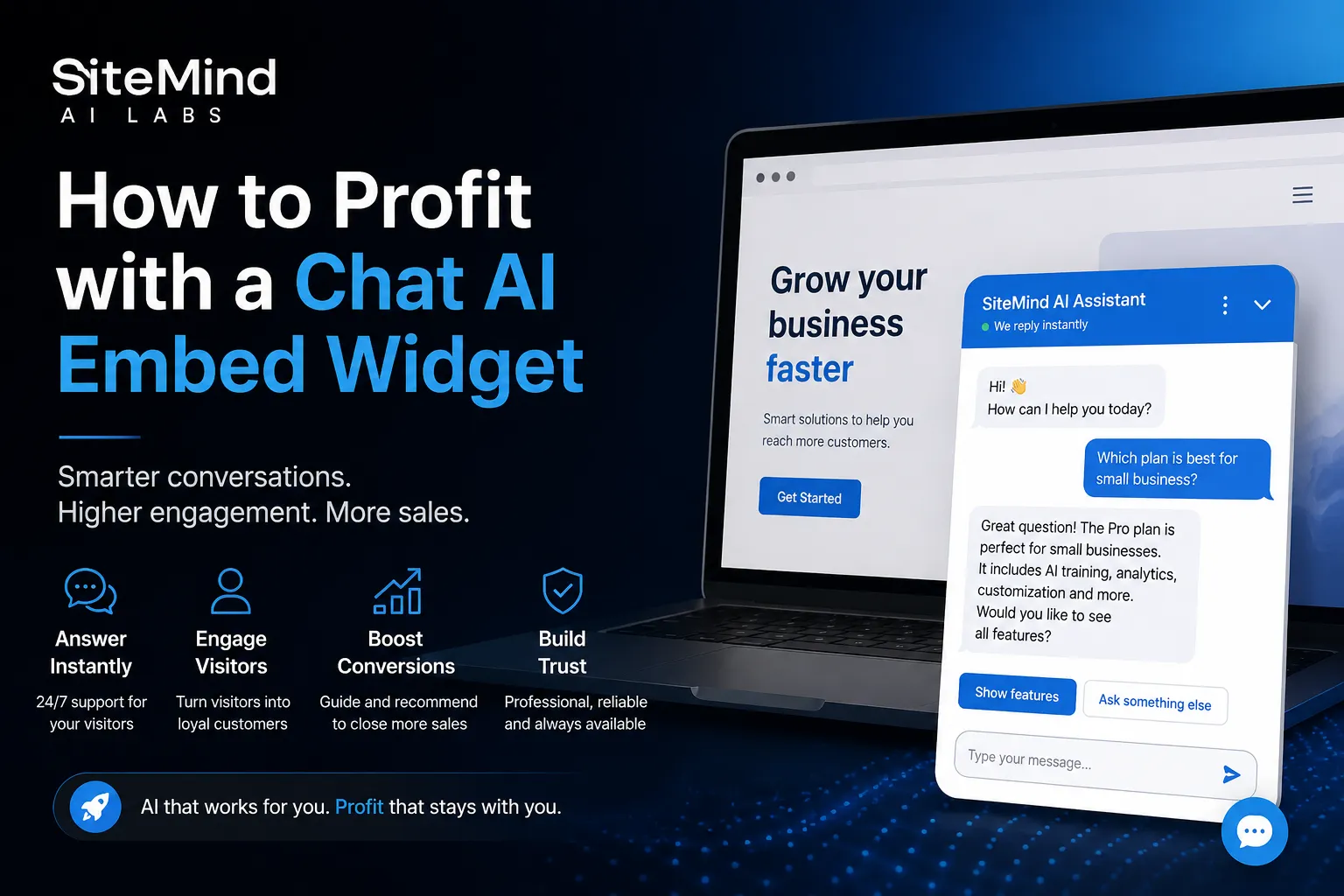
An embeddable AI chat widget solves this practical problem. It gives visitors a natural way to ask questions directly on the page. Instead of forcing them to search menus or send an email, the website chatbot answers immediately and explains the offer in clear language.
This guide explains how a website-trained AI chatbot works, how to embed it without rebuilding your site, and how it can support customer service, lead generation, product discovery, visitor engagement and conversion-focused website experiences.
What Is an Embeddable AI Chat Widget?
An embeddable AI chat widget is a no-code AI assistant added to a website with a small script. It usually appears as a floating chat button. Visitors can ask questions in natural language and receive answers based on the website’s public content.
The widget is not just a decorative chat box. It is designed to work as a website assistant. It can explain public website content, help visitors understand offers, answer common questions, suggest next steps and point users toward relevant pages when that is useful.
For the visitor, it feels simple: click, ask, receive an answer. For the website owner, it becomes a smart layer above the existing website that makes content easier to access and easier to act on.
How a Website-Trained AI Chatbot Works
The website owner creates and configures an AI assistant, scans public website pages, and then installs the generated embed code. The scan collects useful information such as page titles, headings, text and internal links so the assistant can answer from the website’s actual content.
When a visitor asks a question, the widget sends the question together with the current page context. That can include the current URL, page title, headings and visible page text. The backend then combines the current page information with relevant scanned website content and sends it to the AI model so the answer can be based on the actual website.
This is important because the assistant should not answer like a random chatbot. It should answer as a website assistant. If the visitor asks about a product, service, article, pricing, contact option or topic that exists on the site, the assistant can use the most relevant available content. If something is not found in the available website data, the assistant can say that clearly and still give a short general explanation when the topic is safe and useful.
The widget is built to use public website content, not private admin areas. It is meant to support visitors with the information the website owner wants to show publicly.
How it helps visitors make better decisions
A visitor often leaves a website because one small question remains unanswered. That question can be simple, but commercially important: Is this product suitable for me? Which service package should I choose? How does the process work? What are the main differences? Where can I contact the business?
The AI widget gives the visitor a direct path to clarity. It can simplify technical language, summarize long sections, explain the difference between options and guide the visitor to the most useful page. This reduces hesitation and helps users continue instead of leaving for another website.
The result is more interaction. Visitors who ask questions stay longer, understand more and are more likely to take the next step.
AI Chatbot Use Cases for Ecommerce, Services and Content Websites
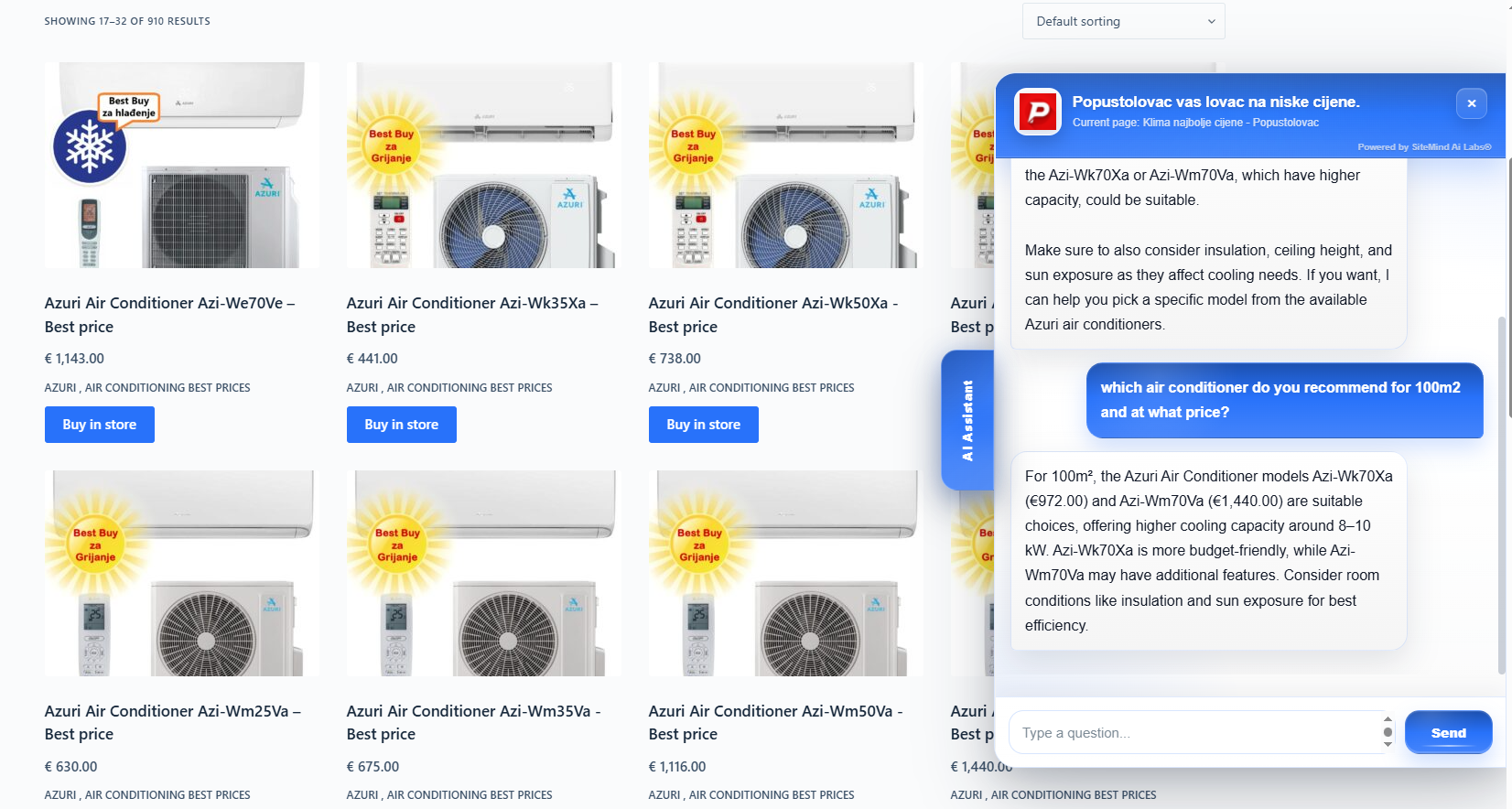
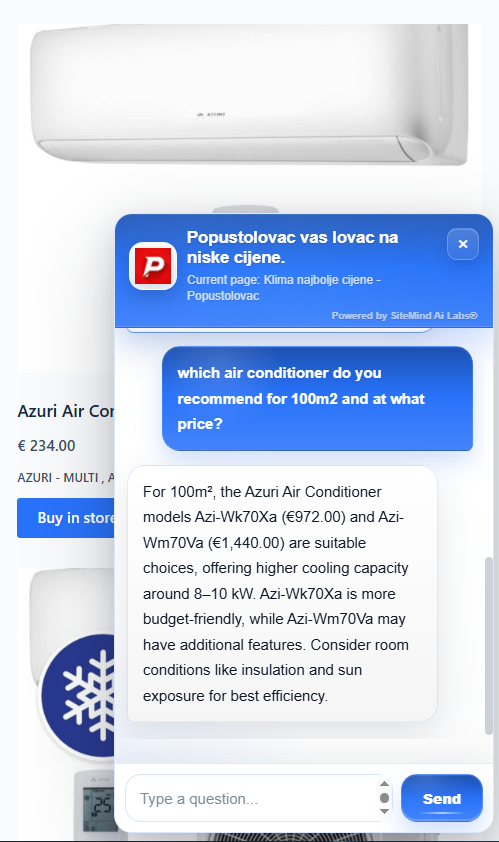
For an online shop, the widget can help customers compare products, understand technical specifications, find the right category and decide whether an item fits their needs. A customer can ask which model is better for a small apartment, which product is easier to use, what technical data means or which accessories may be relevant based on the visible product information.
For a service business, the assistant can explain what a service includes, who it is suitable for, how the process usually works and which page the visitor should open next. This is useful for agencies, salons, repair services, consultants, local businesses, clinics, restaurants and many other service-based websites.
For educational websites, blogs and content pages, the widget can help users find topics, understand articles, summarize sections and continue reading related content. This keeps the user engaged and makes large websites easier to navigate.
For landing pages and advertising campaigns, the widget can answer objections while the visitor is still interested. Instead of losing a user who is unsure, the page gives them a direct way to ask and continue.
How an AI Website Assistant Can Increase Conversions
Conversion potential often improves when friction decreases. An AI website assistant can answer questions faster, reduce repeated support requests, guide buying decisions and capture interest before a visitor leaves. Helpful guidance at the right moment can move a user toward contact, booking or purchase.
In practice, the value comes from several small effects working together: visitors stay longer, they ask more questions, they understand the offer better, they click the right links more often and the website owner learns what users really care about.
This is especially important because many visitors compare multiple websites. If your page explains better and answers faster, the visitor has fewer reasons to continue searching elsewhere.
Customer Questions, Chat Insights and Content Opportunities
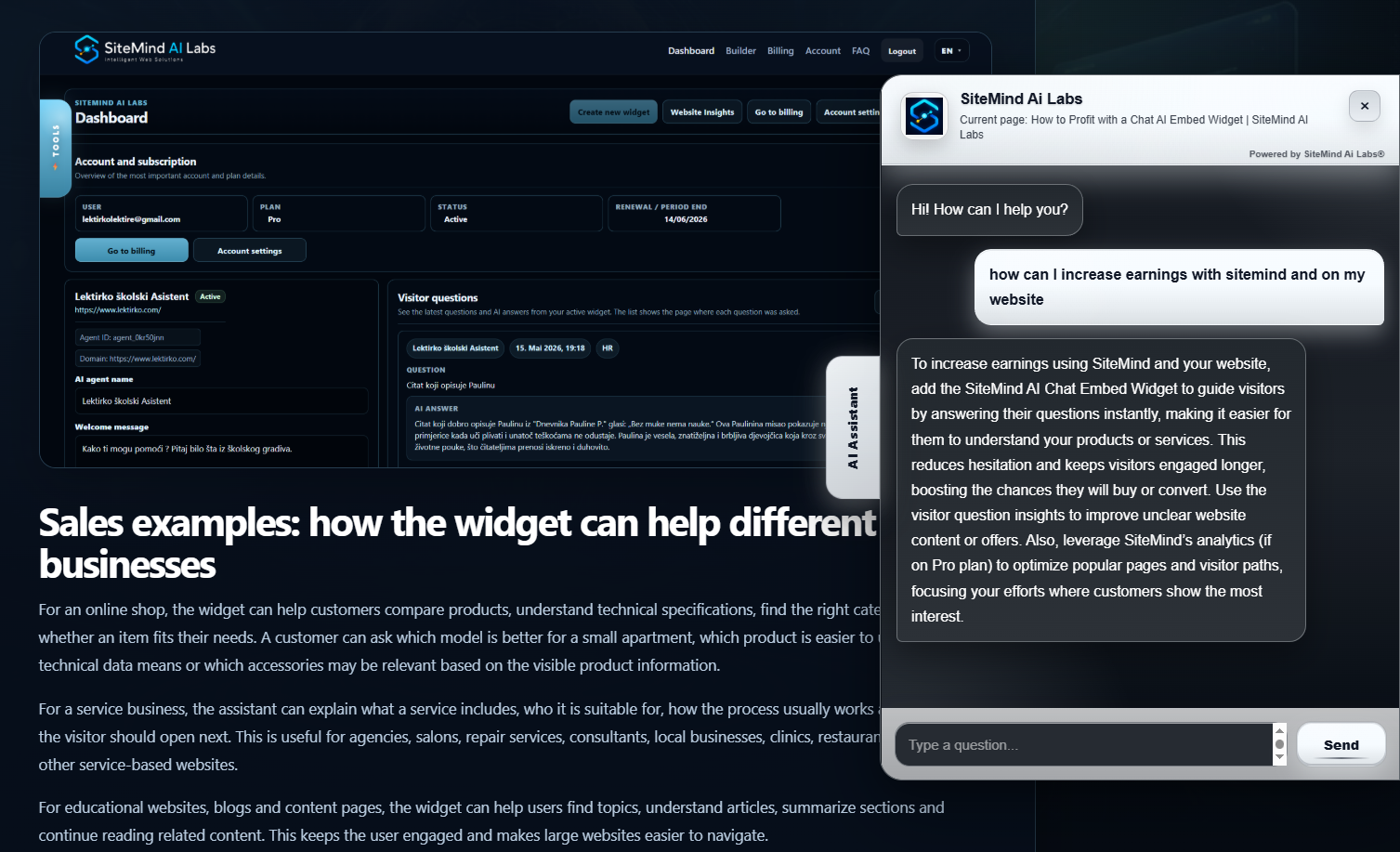
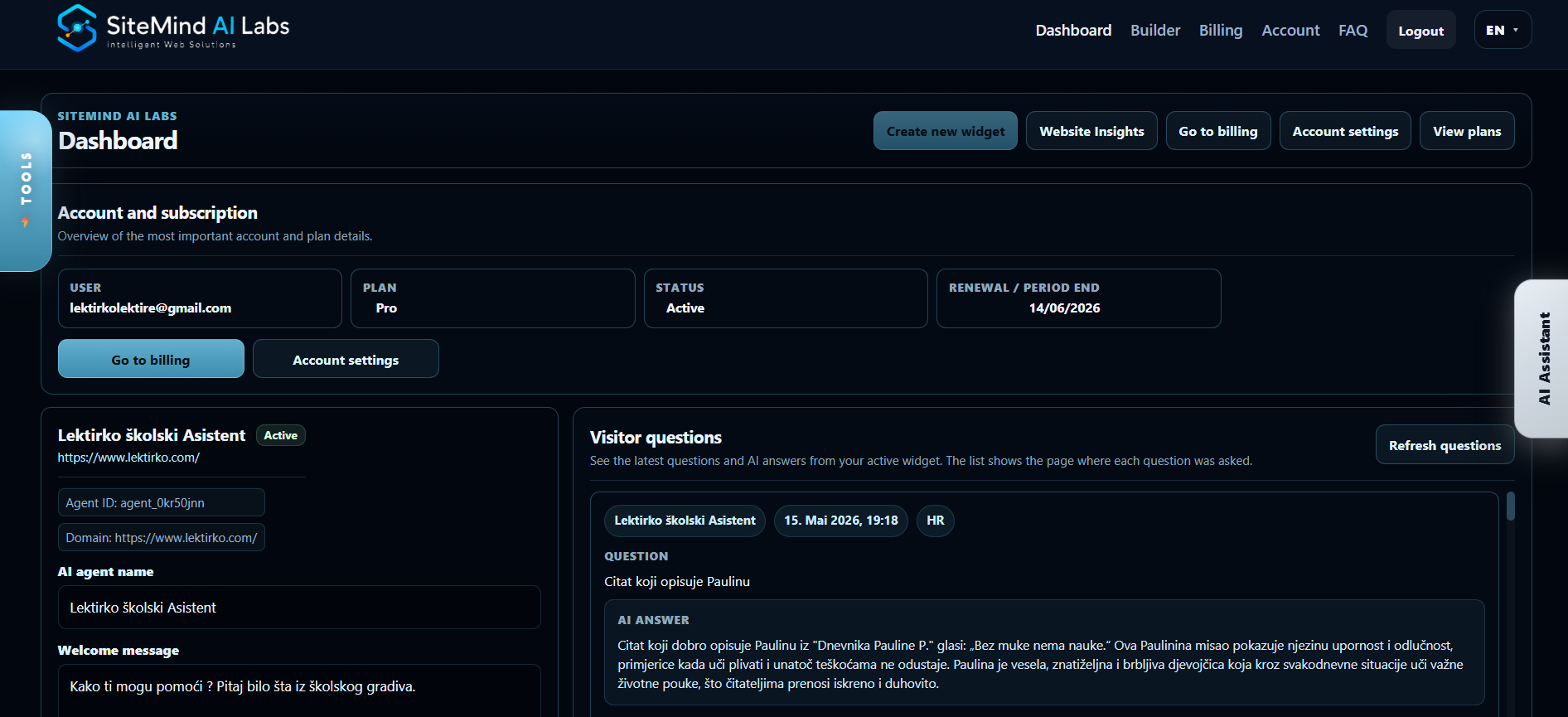
SiteMind AI gives website owners an overview of visitor questions and AI answers. These customer-support conversations can reveal missing information, unclear product details, sales objections and new content opportunities.
For example, if many visitors ask about delivery, warranty, appointment availability, product compatibility or pricing details, the website owner can improve those sections on the website. The chat becomes more than a support tool. It becomes a source of business insight.
Website Analytics and Visitor Insights
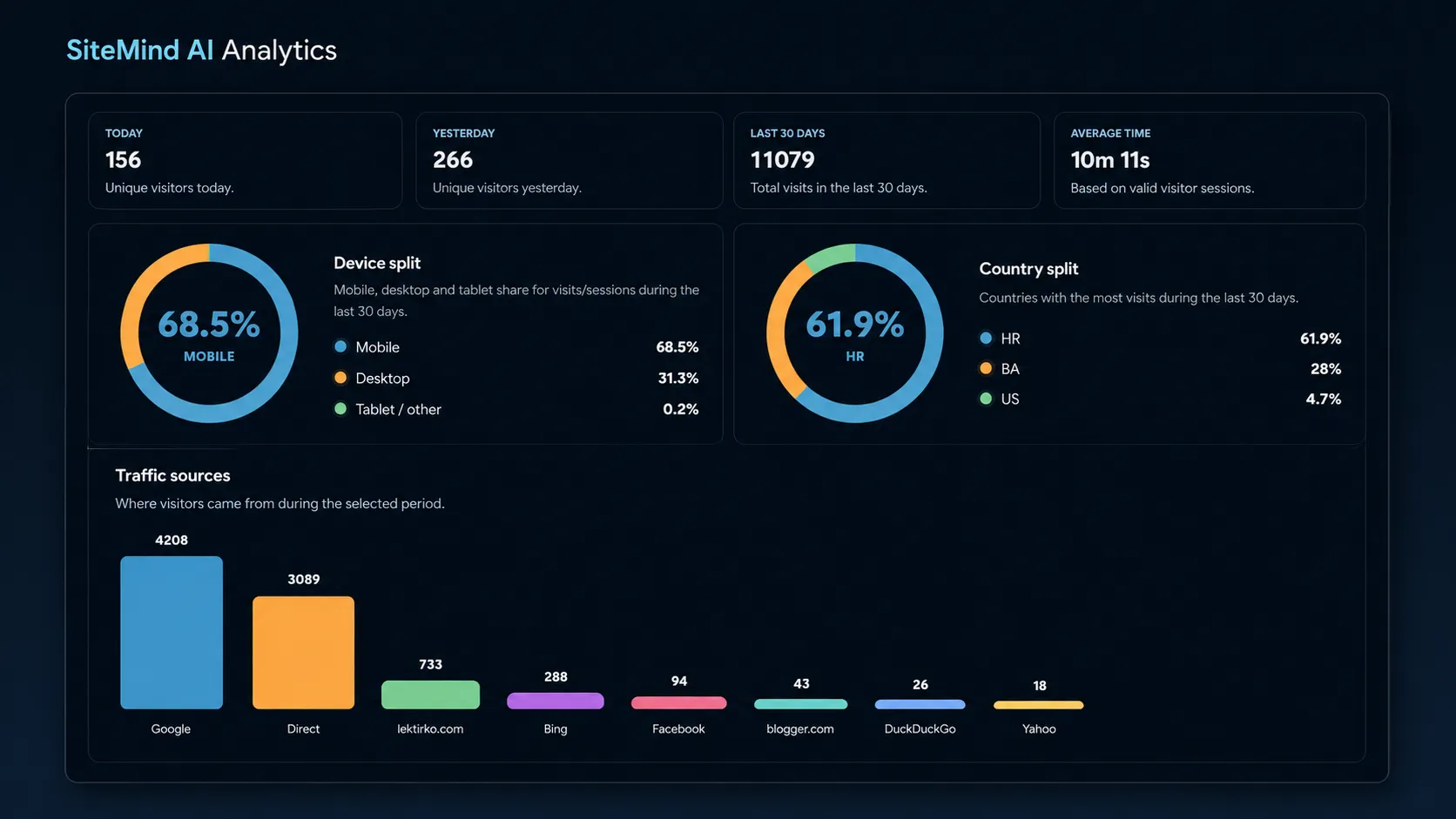
The AI Chat Assistant includes website analytics such as live visitors, recent activity, countries, cities, devices, referrers, top pages and time on site. Combined with chat insights, these metrics help website owners understand visitor behavior and customer intent.
Analytics and chat insights work well together. Analytics shows what visitors do. Chat questions show what visitors think about. Together, they give a clearer picture of customer intent.
No-Code AI Chatbot Installation
Installation is simple: copy the generated embed code and paste it into your website’s HTML just before the closing </body> tag. The AI chat assistant then appears on every page where the code is installed, without rebuilding the website.
The widget is also designed to feel visually natural. It can adapt to the look of the website and use a style that fits the page better, including color direction and light or dark visual feeling. The goal is that the assistant feels like part of the website, not like a foreign element placed on top of it.
Secure AI Chat Widget for Business Websites
SiteMind AI uses public website content and keeps the chat widget separate from private systems such as passwords, payment data, customer accounts, databases and admin areas. Domain protection helps prevent the assistant from running on unauthorized websites.
The platform uses trusted infrastructure services that maintain recognized security and compliance certifications, including SOC 2 Type II, ISO/IEC 27001:2022 and, where applicable, PCI DSS v4.0. This gives business users a stronger foundation for trust without needing to manage complex infrastructure themselves.
The assistant uses an OpenAI language model to understand natural-language questions and generate clear answers grounded in relevant website content and page context.
AI Chatbot Benefits for Website Owners
Why an Interactive Website Assistant Converts Better
A traditional website displays information and waits. An interactive AI website assistant helps visitors move forward by answering questions, explaining services, recommending relevant pages and supporting decisions.
For businesses, this can mean more qualified visitors, more useful conversations, better understanding of customer needs and more chances to turn interest into action. For visitors, it means less searching and faster clarity.